
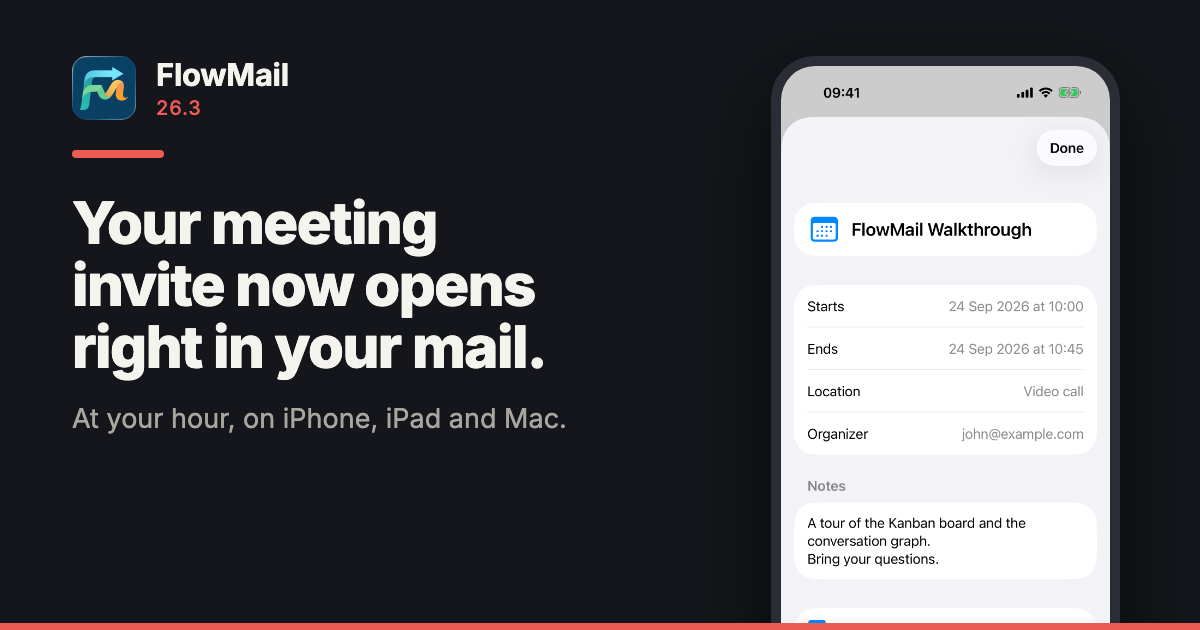
FlowMail 26.3 is on the App Store, for iPhone, iPad and Mac. An invitation attached to a message now opens right there in the message, at the hour it is where you are, and goes into Calendar with one tap. A contact card works the same way.
FlowMail has been on iPhone and iPad since 26.2. It is the same app on all three — list, Kanban board and conversation graph — and one purchase covers them.
The invitation opens where it arrived
Tap an .ics invitation attached to a message and FlowMail shows it as a card: when it starts and ends, where, who organised it, the notes, and an Add to Calendar button. Tap a .vcf contact card and you get the person, with Add to Contacts. Other attachments open the way they always have.
At the hour you will actually be there
An invitation says what time zone it was written in, and FlowMail now reads it that way. A time marked as UTC is UTC; a time with a named zone is read in that zone; a time with no zone at all is read as your own local time, which is what the calendar standard says it means.
Outlook and Exchange do not use the zone names the rest of the world does. They write W. Europe Standard Time where everyone else writes Europe/Berlin. FlowMail carries the full mapping — 139 Windows zone names, generated from the Unicode Consortium’s own table — so a 14:00 meeting sent from Berlin shows at whatever hour that is for you.
- An unfamiliar zone is flagged, not guessed. If an invitation names a zone FlowMail does not recognise, the times are shown in yours and the card says so underneath, naming the zone.
- All-day events stay all-day. They are saved to Calendar as all-day events, on the days they cover.
It adds. It never reads
Nothing touches your calendar or your contacts until you tap Add, and that is also the first moment you are asked for permission. Calendar access is add-only: FlowMail can put the event you tapped into your calendar, and the system does not let it read what is already there.
Also in 26.3
- Permission prompts in Brazilian Portuguese, as well as English.
- Attachment sizes use the right unit, so a small file no longer shows as “0 KB”.
- The welcome screen introduces Verify, and marks the conversation graph as part of FlowMail Pro.
What it costs, and what you need
Opening invitations and contact cards is in the free version, like every file format FlowMail reads. FlowMail needs iOS or iPadOS 18.6 or later, or macOS 15.6 or later, and is available in English and Brazilian Portuguese. Current prices for Pro are on the App Store listing.
More
- FlowMail — the product page, and the App Store links
- FlowMail 26.2 — the first release on iPhone and iPad, with Verify and Translate
- FlowMail FAQ — accounts, syncing and what the AI will and will not touch
- FlowMail support — if any of the above is not behaving as described