
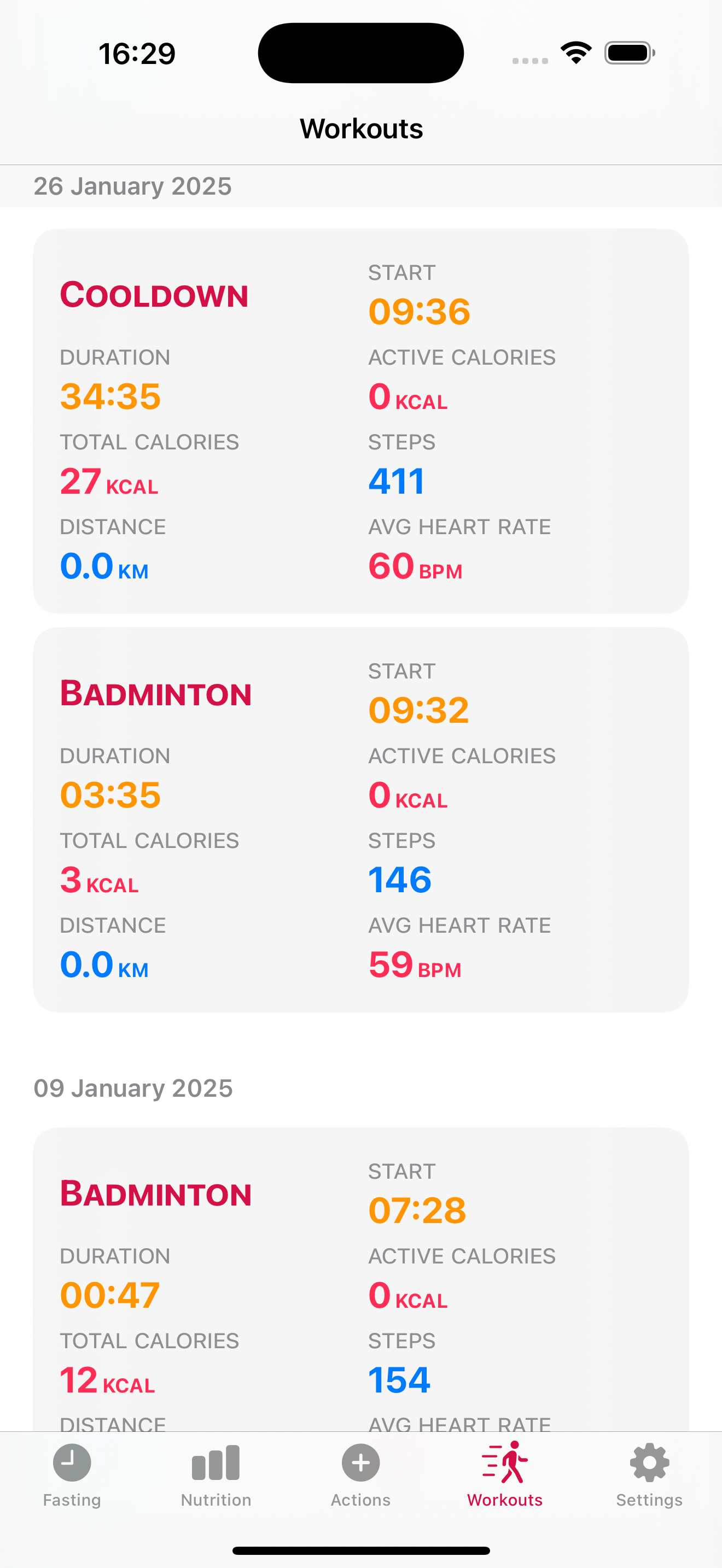
iPhone and iPad:
– CHANGED: added workout type to the workout details card
– CHANGED: added refresh view to the actions list.
Photo by Kumiko SHIMIZU on Unsplash

iPhone and iPad:
– CHANGED: added workout type to the workout details card
– CHANGED: added refresh view to the actions list.
Photo by Kumiko SHIMIZU on Unsplash

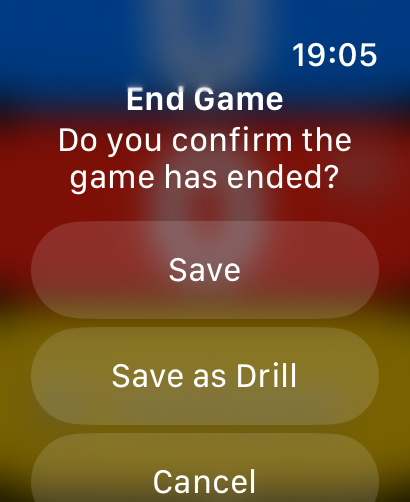
iPhone
– FIXED: game details sharing.
– FIXED: view title when displaying a Drill now shows: Drill Details.
Apple Watch
– NEW: added “Save as Drill” when a Game is started by mistake to track a Drill
All
– CHANGE: started background changes to add players’ names to games.
Photo by Marquise de Photographie on Unsplash
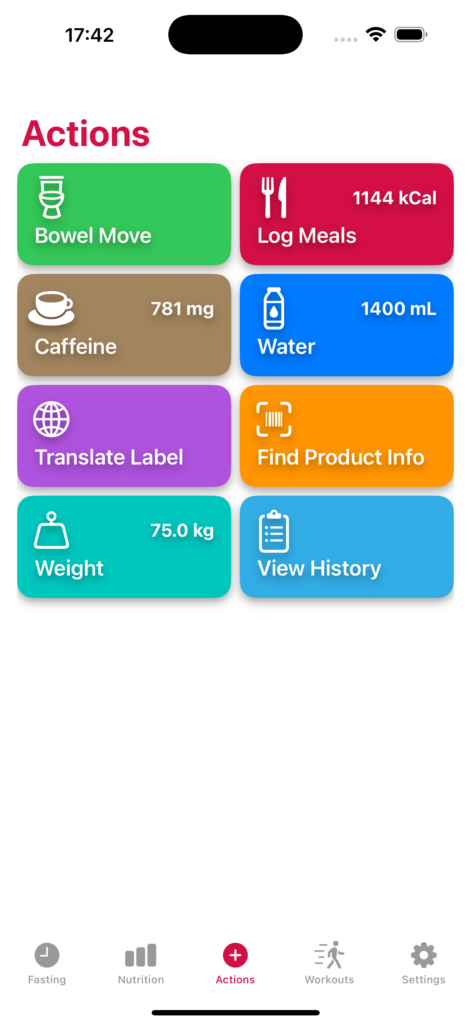
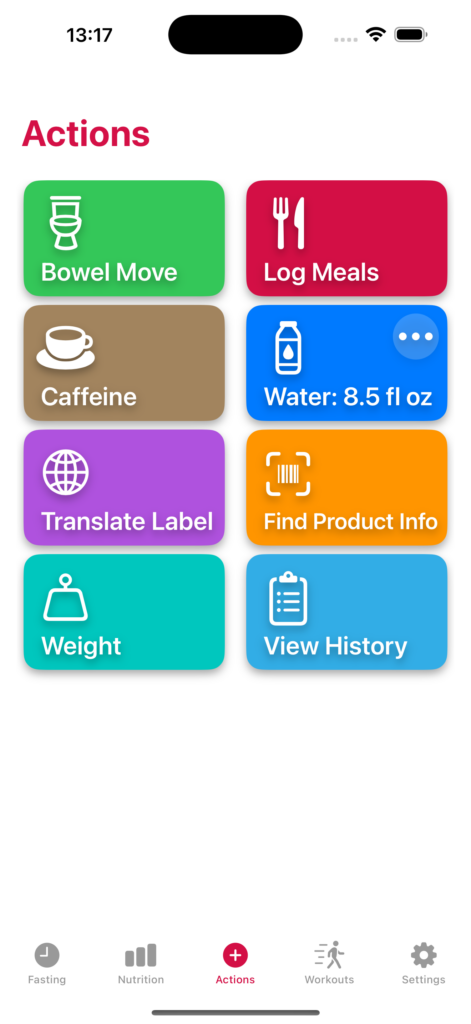
The main change in this version is that on a continuous set of improvements to reduce the number of taps to use the app we are making the water, weight, calories and caffeine data immediately available on the actions screen so it’s visible when the app is launched.
iPhone and iPad:
– NEW: Added the current daily water, caffeine and calories intake that are now visible in the action buttons.
– NEW: Added the current calorie intake to the food logging view so it’s visible alongside the new food being logged.
– CHANGE: Interface changes on the Action buttons for better display across different screen sizes.
– CHANGE: Improvements on the product detail view.
– CHANGE: Improvements for a more stable performance.
Photo by Kouji Tsuru on Unsplash
iPhone
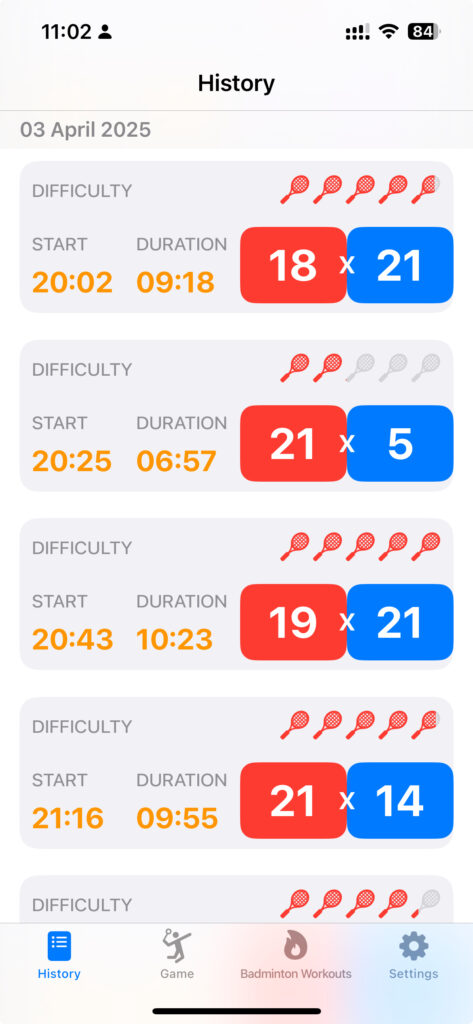
– NEW: Added game results sharing.
iPhone and iPad:
– NEW: Added a game/drill rating based on the difficulty of the activity.
– CHANGE: Reorganised the game and workout stats.
– CHANGE: Some under the hood improvements for visual consistency.
Apple Watch
– CHANGE: New button visual while the workout is being saved after being stopped to indicate the save is in progress.
Photo by 8 verthing on Unsplash
iPhone and iPad:
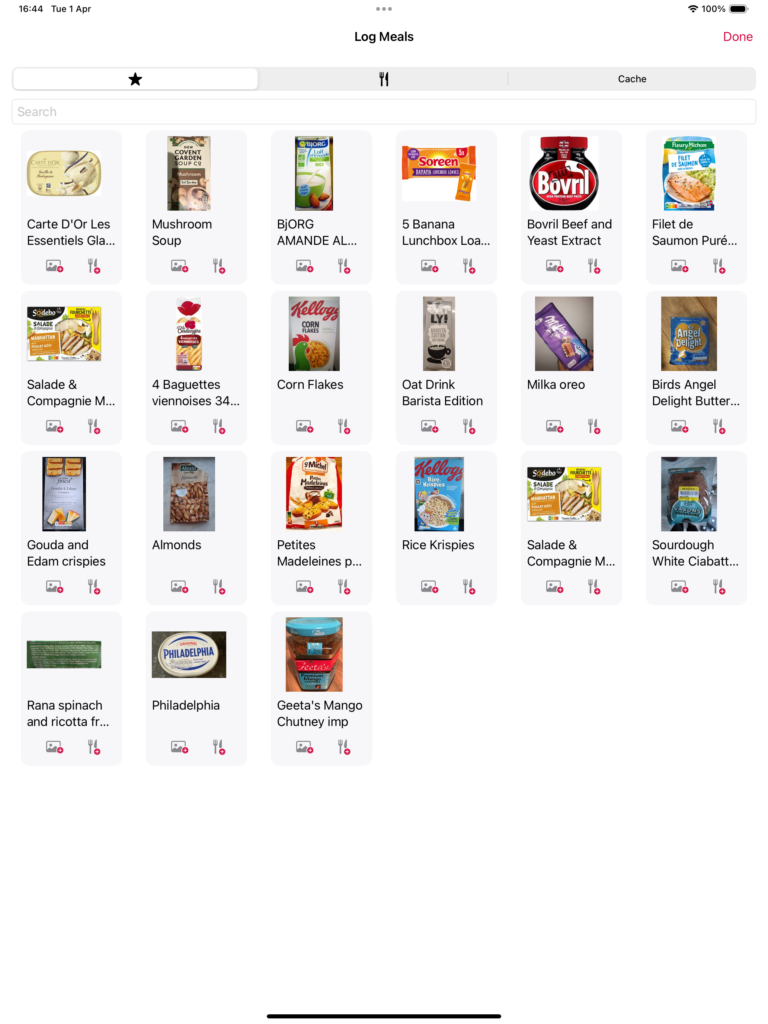
– NEW: Added the total amount of calories for the meal currently being logged.
– CHANGE: Improved the editing experience on the food logger, date, quantity and food can be edited in the same place.
– NEW: Added the NOVA group category display on the food cards.
– CHANGE: under the hood work for consistency in how the views are displayed.
Photo by Brooke Lark on Unsplash

Preparing for the addition of new features we are upgrading and optimising things under the hood.
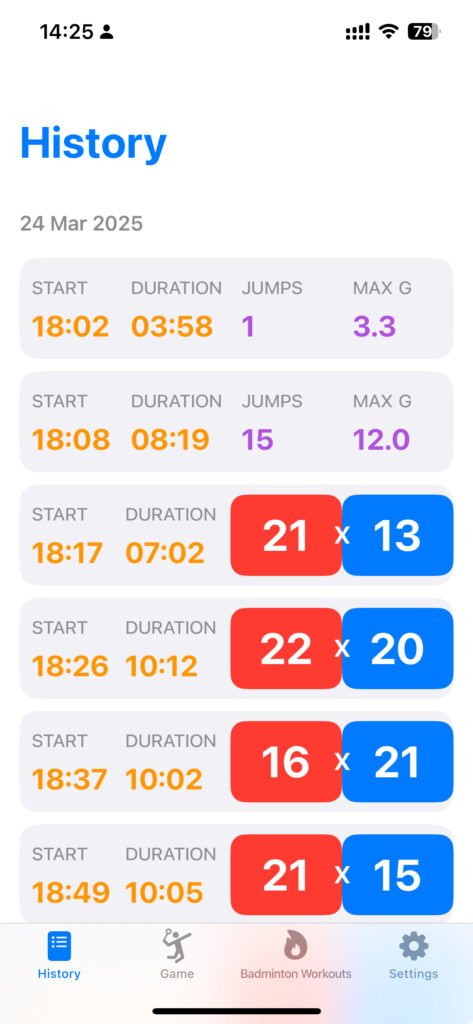
In future releases we will be optimising the information displayed in the detailed view of a drill.
iPhone and iPad
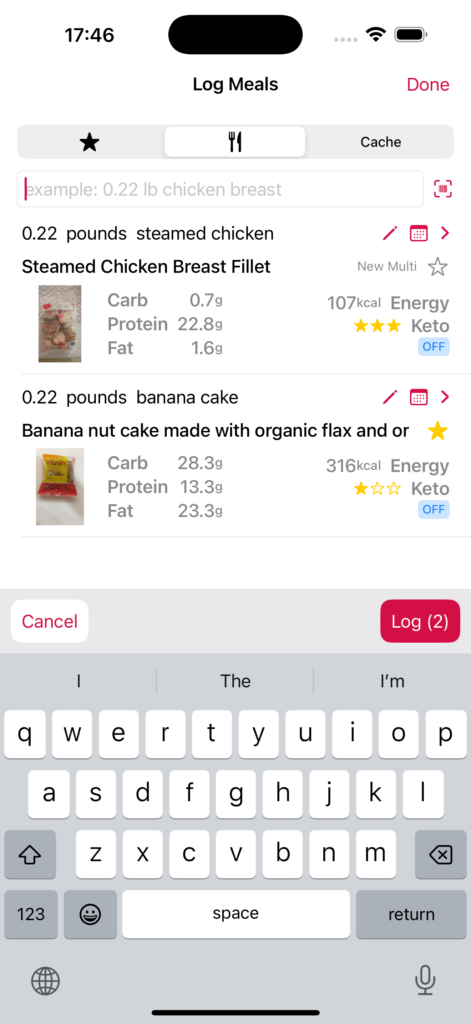
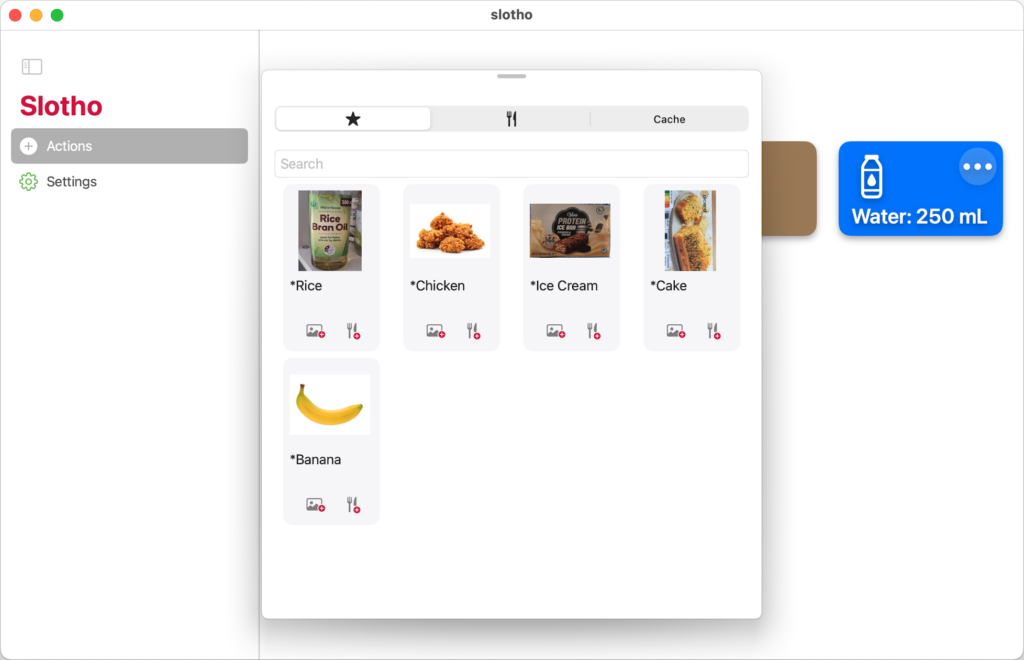
– CHANGE: made the log meal space bigger to make it easier to visualise the search results.
– FIX: the barcode scanner would sometimes dismiss automatically in the food logging view.
Photo by Thought Catalog on Unsplash
iPhone and iPad
iPad
Other small fixes and improvements preparing for future functionalities.

In this new version of slotho is starting to add cloud based features.
iPhone
iPad
macOS
This will open the doors to many new planned features.
The new update of badmintho makes it easier to use the app on iPad and although it does not have a dedicated macOS version the iPad improvements are also usable on macOS.
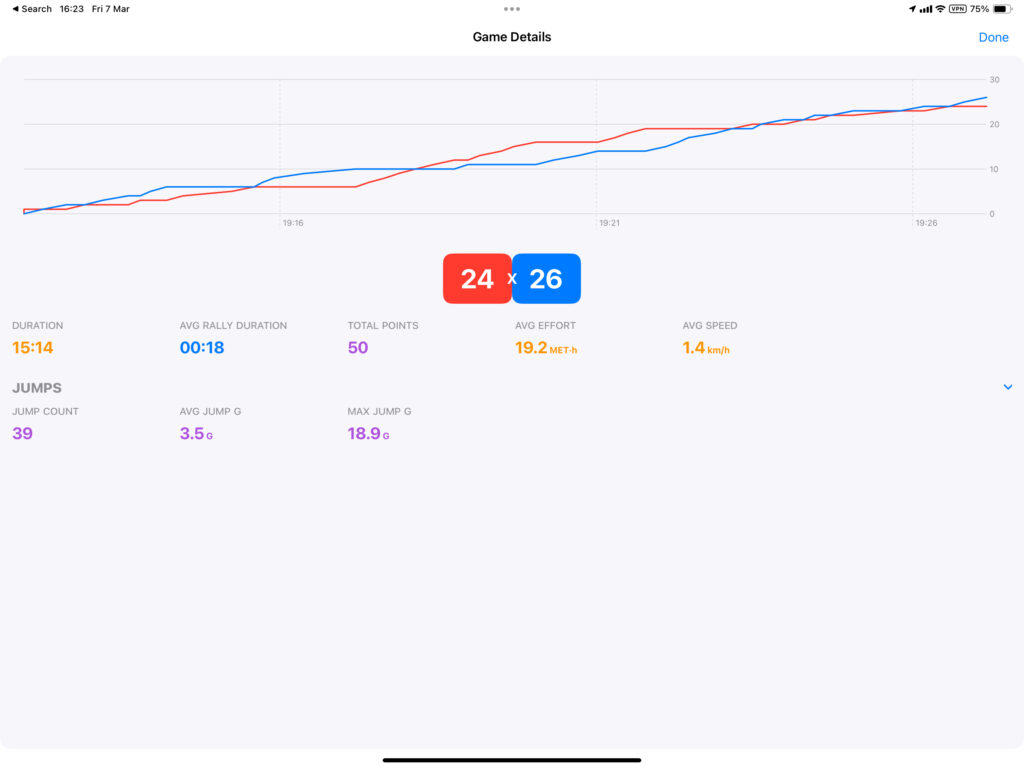
With more available space we will be adding more information to be displayed on the iPad.