With Ask Your History in slotho 26.6, you can ask about your own health log in your own words, such as “When did I last eat salmon?”, and get a short answer. We built it so your iPhone does the looking, and only what answers your question is shared. Here is how it works.
How Ask Your History works
slotho works out what you’re asking: which days, and whether it’s about meals, drinks, symptoms, mood, fullness, workouts, sleep or weight.
Your iPhone looks through your log and does the counting itself: how many times, on which days, the first and the last, and totals and averages. So the numbers in an answer are exact, not guessed.
slotho writes a short answer from what it found, in a few sentences, and lists every matching entry underneath so you can check it against your log.
Only what answers your question is shared
A question about salmon shares your salmon meals, not a year of everything you ate: at most ten entries, and the totals. With Apple Intelligence, on iPhones that have it, nothing leaves your iPhone at all. Otherwise, slotho asks you before your first question leaves your iPhone. The slotho privacy policy says what each feature shares, and where.
It tells you what you logged, not what it means
Ask “Why did I get headaches last week?” and you’ll see what you logged around them: the dates, what you ate before and how you slept. slotho is built to answer with what your log shows, and not to say one thing caused another, name a condition or tell you what to avoid. The matching entries are always listed, so you can draw your own conclusions or take them to your dietitian.
Questions you can ask
Ask the way you would ask a friend; there is no special format to learn. A few that work well:
“When did I last eat salmon?”
“How many coffees did I have last week?”
“How much water did I drink on Saturday?”
“What did I eat before my headaches last week?”
“When did I last do a strength workout?”
“How did I sleep last week?”
“What was my average weight this month?”
Answers are best when you name a food, drink or workout the way you logged it, and when you say which days you mean, such as “last week” or “in October”. If you don’t name any days, slotho looks at the last 30. Ask Your History reads meals, drinks, symptoms, mood, fullness, workouts, sleep and weight, so a question about something slotho doesn’t record, such as your steps, won’t find anything. If nothing matches, you’ll see that straight away, and no entries are shared.
Free, and with PRO
Free with Apple Intelligence or a key of your own, over the last 31 days.
With slotho PRO, over your whole history, for up to 3 of PRO’s 1,000 monthly credits a question.
A suggested question from Insights costs only 2 credits on PRO, because slotho already knows what to look for. And asking never changes anything: Ask Your History only reads your log, and nothing in slotho or Apple Health is edited.
Where to find it
Open Me and tap Ask Your History, beside the new reports for your dietitian and your trainer. Insights also suggests questions about what it found, which you can ask with one tap.
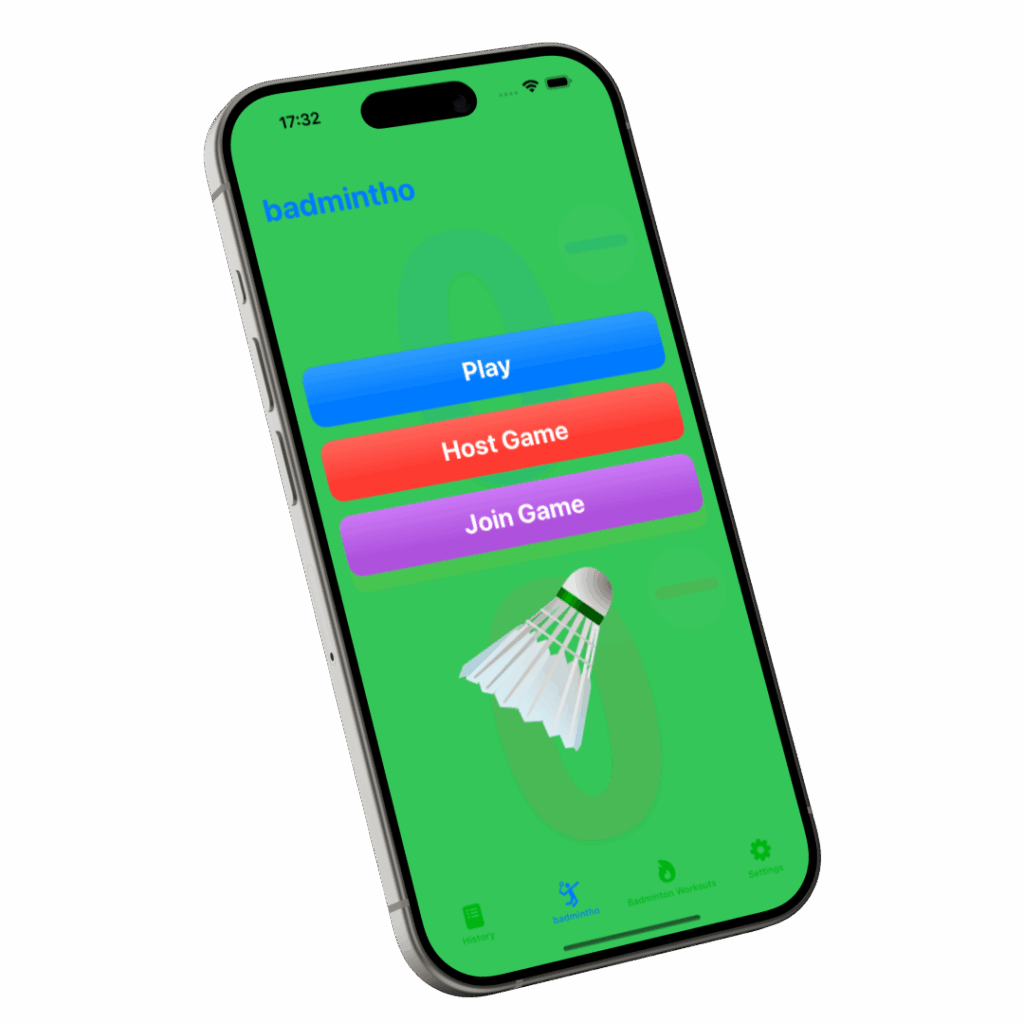
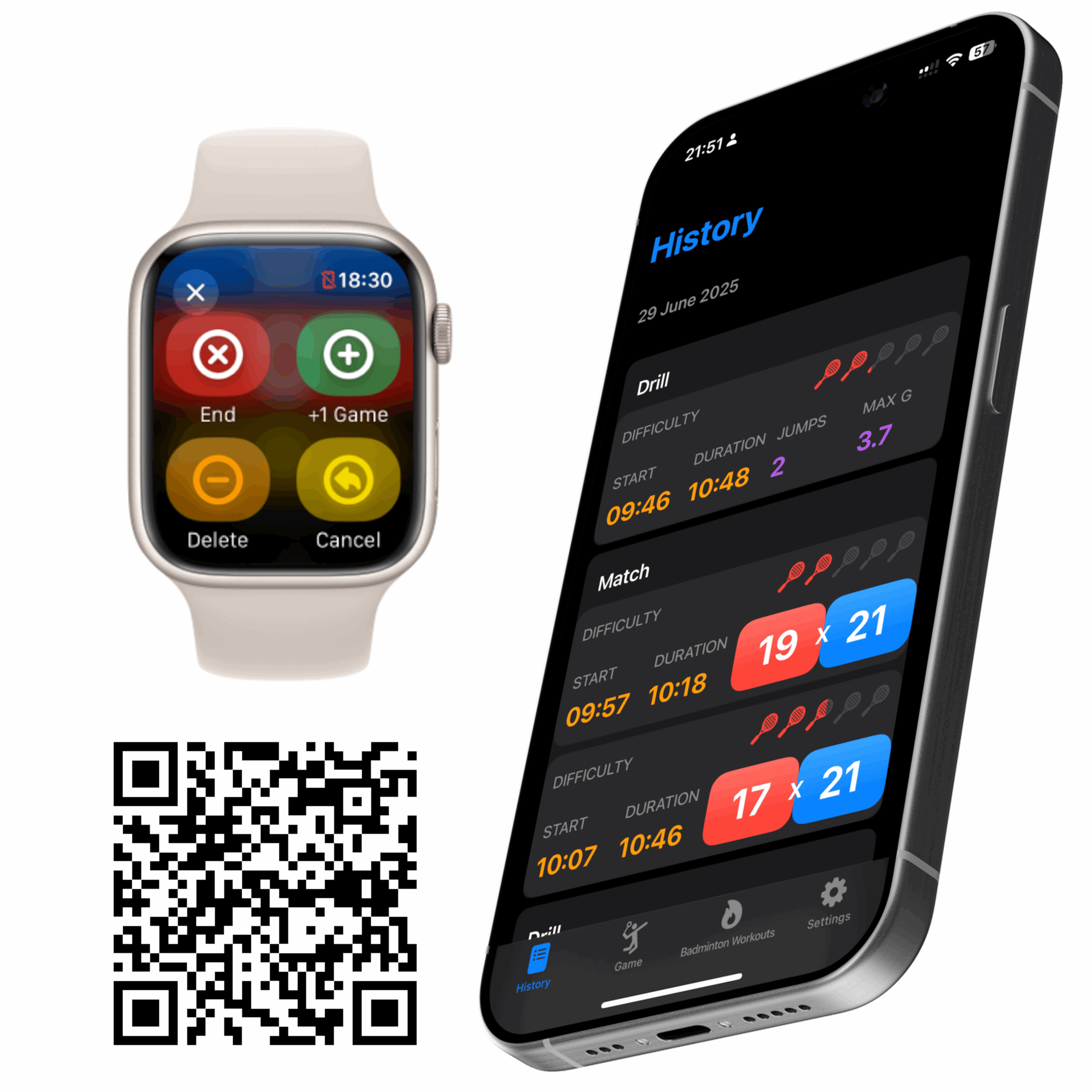
badmintho keeps no match database of its own. Every match you play is saved as a badminton workout in your Apple Health, and badmintho reads it back from there when you open History. This is what that workout holds, and why we built it that way rather than keeping a copy of our own.
What one match holds
The workout. A badminton workout from the first serve to the end of the match, with each game inside it. When your Apple Watch records the match, the workout also carries the heart rate, energy and distance it measured.
Every point. Each point is saved as a marker at the moment it was scored, with the side that scored it and their new score.
The players. The names on each side, and which side was yours when you have picked your colour.
Umpire marks. If someone marked the rallies from a second phone, each winner, unforced error or service fault is saved beside the score of the rally it describes.
The court. If you switch on court tagging, the name and location of the court you played at.
badmintho writes two kinds of data to Health: workouts, and water if you log a drink from the watch during a match. Everything else it asks for, it only reads.
Why every point carries its moment
Saving the final score would have been enough to show who won. We saved every point with its time instead, because the score of a match is a sequence, and the sequence is where the useful questions are: when did the game turn, and how long were the rallies?
That decision paid off in badmintho 26.4. Its match details show each side’s longest scoring run, such as six points in a row from 8–11, and the typical rally length. Both are worked out from the markers a match already carries, so they appear for matches you played before 26.4 existed, not just for the ones after it. The match details come with badmintho Pro; the markers are saved with every match either way.
Without a watch, nothing is made up
If you keep score on the iPhone alone, the phone saves the match as a workout too: its time, the players and every point. What it does not save is heart rate, energy or distance, because the phone did not measure them. We could have estimated them. We chose an honest record of what happened over a figure that looks complete and is invented.
With a watch, one match is one workout
When the Apple Watch is recording the match, the phone steps aside. Two workouts covering the same time would count the match twice in your Activity rings, and Health does not merge them. So the phone saves only the part the watch did not cover, or nothing at all when the watch had the whole match, and the two parts add up correctly.
Where the court is, not where you were
Court tagging is off until you switch it on. When it is on, badmintho checks your position as you set up a match, only to suggest the nearest court you have saved. What goes into Health is that court’s name and its coordinates: the venue’s location, never your own. You can change or clear the suggestion before the match starts.
Your matches stay yours
Because the record lives in Health, it sits with the rest of your health data, under the permissions you set there. It does not depend on badmintho to exist:
Delete a match in Health and it is gone from badmintho’s History too, without restarting the app.
Stop using badmintho and the workouts stay in Health, with their time, heart rate and energy.
Withdraw access at any time in Settings › Health › Data Access & Devices.
On the device, badmintho keeps your settings, your saved players and courts, and a cache of match details so History opens quickly. red8.io runs no server that receives your matches, and there is no account to create.
What badmintho asks Health for
The permission sheet lists only what the app actually uses on that device. On the iPhone it asks to read workouts, heart rate, resting heart rate, heart-rate variability and one-minute heart-rate recovery, active and resting energy, walking and running distance, steps and physical effort. The watch asks for the figures it records during a match, plus your water total for today and your date of birth, which sets the heart-rate zones. The badmintho privacy policy describes the rest, including the two things that can leave the app, and only if you switch them on.
More
badmintho: the product page, with the App Store link
Five of our apps have no sign-up screen. There is no account to create in slotho, badmintho, pluris, FlowMail or formatho, and no red8.io server holding what you log in them. That is the easy half of app privacy, and it is the half every privacy page says. The harder half is the one they tend to skip: the moments an app does reach the network, what goes with the request, and who receives it. This post is that half.
The five — slotho, badmintho, pluris, FlowMail and formatho — do very different jobs: food logging, badminton scoring, contact cleanup and passwords, email, Azure DevOps work items. What they share is an assumption. The interesting data is yours, and the sensible place for it is the device in your hand. The sixth product, Cortex, works the other way round on purpose, and it gets its own section below.
What “no account” actually means
It means there is no sign-up screen because there is nothing to sign up to. No email address to give, no password to choose, no profile to complete, no forgotten-password flow, no settings page on a website somewhere with your name at the top of it.
It also means we cannot restore your data if you lose your phone, cannot look at your logs to diagnose a bug you report, and cannot tell you what you ate last March. Those are real costs and we accept them, because the alternative is holding all of it.
One thing worth saying precisely: your logs are not anonymised on our side, because they never reach our side. Anonymised data is data somebody has. Where an app does send us something — a usage count, a waitlist address, an AI allowance — this post names it.
Where the data actually lives
slotho — food, water, caffeine, sleep, workouts and fasting are stored on your iPhone, iPad and Apple Watch and written into your own Apple Health. They move between your devices through your own iCloud, under your Apple Account, not ours.
badmintho — scores, match history, player names and settings sit on the device, and every match is saved to Apple Health as a badminton workout with the heart rate, energy and movement recorded during play.
pluris — your contacts, photos, calls and messages are read, compared and filtered on the phone itself. Passwords live in the iOS keychain, and reach your other devices only through Apple’s iCloud Keychain, if you have it switched on.
FlowMail — mail is fetched from your provider straight to your device and stored there so you can read offline. Sign-in tokens and app passwords live in the Keychain, the same encrypted store Apple’s own apps use.
formatho — almost nothing is stored at all. Work items and query results are held in memory while the app is running and are gone when you quit; the only things kept between launches are your settings, in formatho’s own sandboxed storage on your Mac.
App privacy, request by request
Now the part that gets left out. Some of these apps talk to the network, because some of these jobs cannot be done otherwise — you cannot look up a food without asking someone who knows about food, and you cannot read email without contacting a mail server. Here is every one of them.
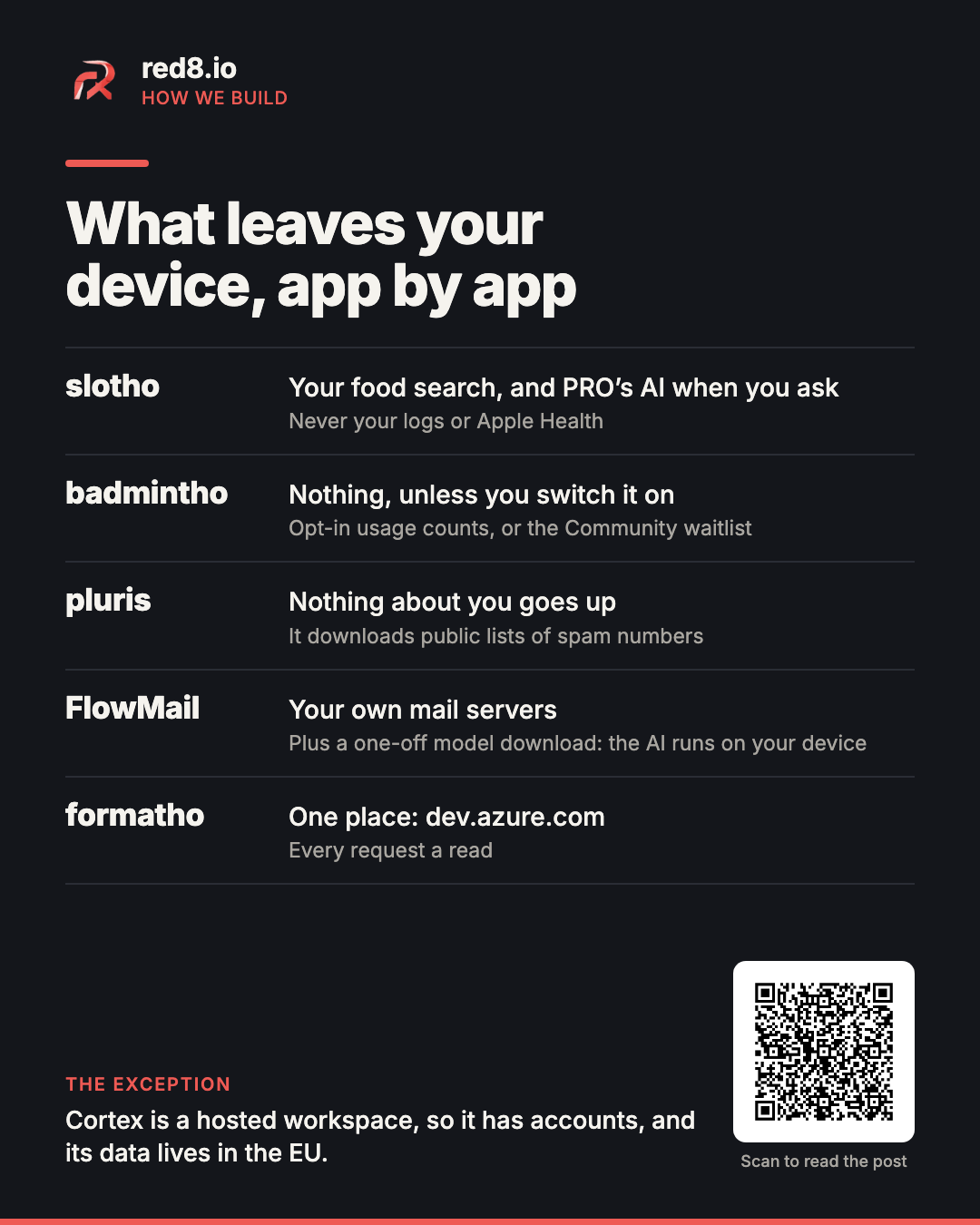
What leaves each app, in one card. The detail follows.
slotho: food lookups, PRO’s AI, and one contribution that becomes public
Searching for a food or scanning a barcode queries two public databases — Open Food Facts and the USDA’s FoodData Central — alongside a library of over 300 common foods built into the app, which needs no request at all. What travels is the search itself: the words you typed, or the barcode number you scanned. No name, no account, no health data, no log goes with it. Results are cached, so looking the same thing up twice makes no second request.
A few smaller requests, easy to miss because they do not look like lookups. When a food has no picture, slotho can find one on the open web: the food’s name goes to a public image search engine — Brave, Bing, DuckDuckGo, Qwant or Yandex, tried in turn until one answers. Tap Find places near me on a meal and slotho asks Apple Maps for venues around a coordinate, never with the meal. Translating a label uses Apple’s own Translation framework. And the app asks Apple’s public iTunes lookup which version is current, which carries the app’s identifier and nothing about you.
Then the AI. Typing “two eggs and a coffee” to log it uses Apple’s on-device model by default, and the sentence stays on your iPhone. Two things go further, and both only when you ask. You can connect an AI provider of your own with your own key, and then what you send goes to them, not to us. And slotho PRO’s AI features — reading a meal photo, drafting a plan, voicing a meditation — run through a small service we operate on Google Cloud. It checks that the request comes from the genuine app and a current subscription, passes it to Google’s Gemini models on Vertex AI, or to Google’s text-to-speech for a voice, and returns the answer. Google processes it as our service provider and does not use it to train its models.
What goes with a PRO request is only what the feature needs: a photo is shrunk and re-encoded first, which strips its location and capture time, and nothing from Apple Health, your logs or your identity is attached. slotho asks before the first photo and the first text request. What we keep is a count of how much of your monthly allowance you have used, stored against the anonymous transaction number the App Store gives your subscription — not your name or your Apple Account. The photos and words themselves are not stored.
There is one exception worth reading twice. If you create or correct a food and it has a barcode, slotho submits it to Open Food Facts, where it is public and permanent under that project’s open licence — and if you attached a photo, the photo is published as that product’s front image. It goes through a shared slotho contributor account, so it is not attributed to you by name, but the photograph is public. Point the camera at the product, not at your kitchen.
badmintho: nothing, unless you switch one thing on
In normal use badmintho makes no outbound requests at all. Playing a shared match with other people uses Bluetooth, directly between the devices in the room — the score and the players’ names travel over that link and nowhere else, with no server in the middle.
There are two exceptions, and both are off until you act. The first is a setting called Share anonymous usage stats, which is off when the app arrives. While it is off, nothing is recorded and no request is ever made. Switched on, it counts a small fixed set of events about the paid features — the upgrade screen appearing, a trial starting, and so on — and sends them to our server once a day as daily totals, with no identifier for you or your device. With it on, badmintho also asks Apple once, after it is installed, whether an Apple Ads campaign led to the install; the campaign, ad group and keyword numbers Apple returns go into those same daily totals. Apple sends nothing that identifies you, and with the setting off Apple is never asked.
The second is the Community waitlist in Settings, where you can leave an email address to be told when badmintho Community launches. That one is identifying — it is an email address, and we hold it — so it is worth naming plainly rather than filing under “anonymous”. It is the only place in these five apps where you hand us something that points back to you. You can leave the waitlist from the same screen, and your address goes with you.
pluris: downloads, and nothing uploaded
pluris touches four of the most personal things on a phone and sends none of them anywhere. The duplicate matching, the number repair, the photo fingerprinting, the message filtering — all of it happens on the device. What the app fetches is a public, community-maintained list of known spam numbers, checked at most once a day, plus any lists you add yourself with Pro, each from the address you gave. Those are downloads: nothing about you goes up with them. The search button beside a number in a contact opens a Google search in your browser, and only when you tap it.
Call blocking is worth understanding, because the design is what makes it private. pluris hands iOS a list of numbers and iOS does the blocking itself, inside the system. The consequence is that pluris cannot see who called you, when, or whether anything was stopped — iOS reports none of that back to an app, deliberately. It is also why the app can tell you how many numbers are on your list but never how many calls it actually blocked.
The next version adds one exception, off until you switch it on. With pluris Pro, the password vault’s organiser can run on Google Gemini through a small service of ours, and what it sends is item titles, groups and notes with every secret replaced by a placeholder first — never a password. The pluris privacy policy already describes it in full.
FlowMail: your mail servers, a public list, and a one-off model download
FlowMail talks to your mail provider, which is what an email client is for. Microsoft sign-in happens on Microsoft’s own page, so your password is typed into them and never into FlowMail. For other providers it may ask the public autoconfiguration service which servers to use; that request carries your email domain, never your password.
To tell which organisation owns a sender’s domain, FlowMail uses the Public Suffix List, a public list of domain endings such as co.uk. A copy ships with the app, and FlowMail fetches the current one at most once a day; the request carries nothing about you or your mail, and you can switch it off in Settings.
The AI features are the part people expect to be a trick. They are not. The model runs locally on your device — your messages are not sent to OpenAI, Anthropic, Google or anyone else, because FlowMail has no such integration to send them through. You pick a model, it downloads once from a public repository carrying nothing about you, and it runs offline from then on.
If you wire up an MCP server yourself, or build a workflow with a step that fetches a page, those requests go where you pointed them. That destination is yours, not ours.
formatho: one destination, and every request a read
formatho sends your credentials to exactly one place — dev.azure.com — as the standard authorisation header every Azure DevOps client uses. Not to us, not to a log file, not to anyone else. Because the Personal Access Token is one you generated yourself, you can revoke it whenever you like and the app immediately loses access, with no involvement from us.
Every request it makes is a read. The app contains no code that creates, edits or deletes anything in Azure DevOps, so a read-only token is enough to run it — and if you would rather not grant more than that, don’t. There is no analytics in it, no crash reporting, no advertising, and in fact no third-party code in the app at all.
Cortex: the one with accounts, on purpose
Cortex is a workspace you share with your team — projects, mail, meetings, notes — and a workspace several people share needs a server and a sign-in. So Cortex is the opposite of the five above, and it says so: your workspace lives on a server we run, in the EU, in a tenant of its own. You can ask for an archive of the whole tenant whenever you like, and a deleted tenant is purged after 30 days, its encryption key included.
Because here we do hold your data, the hosted service has its own privacy policy and a data processing agreement, which is the contract that says what we may do with it. If your data has to stay on your own infrastructure, Cortex can be self-hosted, set up with us on request. Then you are the data controller for everything inside it, and by default a self-hosted instance does not contact us at all.
What stays on the device, every time
A lot of what looks like it must need a server does not. All of the following runs on the device:
Barcode reading and label text recognition in slotho, using Apple’s on-device vision. Only the resulting number is ever sent.
Photo and video fingerprinting in pluris. Your photos are not uploaded or sent for analysis; there is no cloud processing step in that app to send them to.
The decision on every unknown sender’s message in pluris, made from the keyword lists and rules on your phone.
Jump detection and movement measurement in badmintho, sampled a hundred times a second from the motion sensors and turned into statistics without leaving the watch or phone.
Your position, when badmintho offers to tag a match with the court you are at. It compares your location against your own saved favourites on the device — your position is not stored and does not leave the phone. What gets saved with the match is the venue’s coordinates, not yours.
Every contact comparison, number repair and similarity score pluris computes.
The language model behind FlowMail’s summaries, replies and triage.
What this costs us
It is worth being straight about the trade, because “privacy-first” is cheap to write on a landing page and the interesting question is what you gave up for it.
We have no funnel. None of the five apps carries analytics, crash reporting or advertising; the closest thing is badmintho’s opt-in daily counts, and those arrive as a handful of numbers. When something breaks, we find out because somebody emails us — which means the support address is not a formality, it is the instrumentation. We cannot A/B test our way to a decision, so we have to think about it instead. And we cannot show you your own history from a backup, because there isn’t one to read.
The upside is the part that matters. A breach on our side cannot expose your food log, your matches, your contacts or your mail from these apps, because there is no database of them on our side. What we do hold is short, and this post has named all of it: a waitlist address if you gave one, usage counts if you switched them on, and the allowance counts behind slotho PRO’s AI. Not because we are principled about it every quarter, but because the rest was never on our side of the wire in the first place.
Where this changes: badmintho Community
Everything above describes how these apps work today, and it would be dishonest to dress it up as a promise that nothing will ever change. Some things genuinely cannot be built on a device alone. Finding a court near you, being matched with a player at your level, and holding a ranking that means anything all require a server that several people share — and that is exactly what badmintho Community is going to be.
So it will have accounts, because a ranking needs to know whose it is. It will store the results of Community matches, because that is what a ranking is made of. We would rather tell you that now, while it is still a waitlist, than let you find out from a changelog.
What we are committing to is narrower than “never”, and more useful: Community will be a separate thing you opt into, and badmintho will keep working without it. If you never join, nothing changes — no sign-in appears, your matches stay in Apple Health, and the app makes no more requests than it does today. The parts that shape the design are already visible in how it is being built: the court usage counter deliberately carries no user identifier, so it can rank courts by real use without becoming a record of who played where and when; and the analytics counters accept an anonymous token rather than requiring an account.
The rule, then, is not “we will never run a server”. slotho PRO already runs through one, and Cortex is one. It is: what is on your device stays on your device unless you choose otherwise, and we will say plainly when the boundary moves. This post is where that boundary sits in October 2026. When Community ships, the badmintho privacy policy will say exactly what it holds, and there will be a post like this one explaining it.
Read the actual policies
Everything above is a summary, and summaries lose detail. Each product has its own policy, written in plain language and specific about its own edge cases:
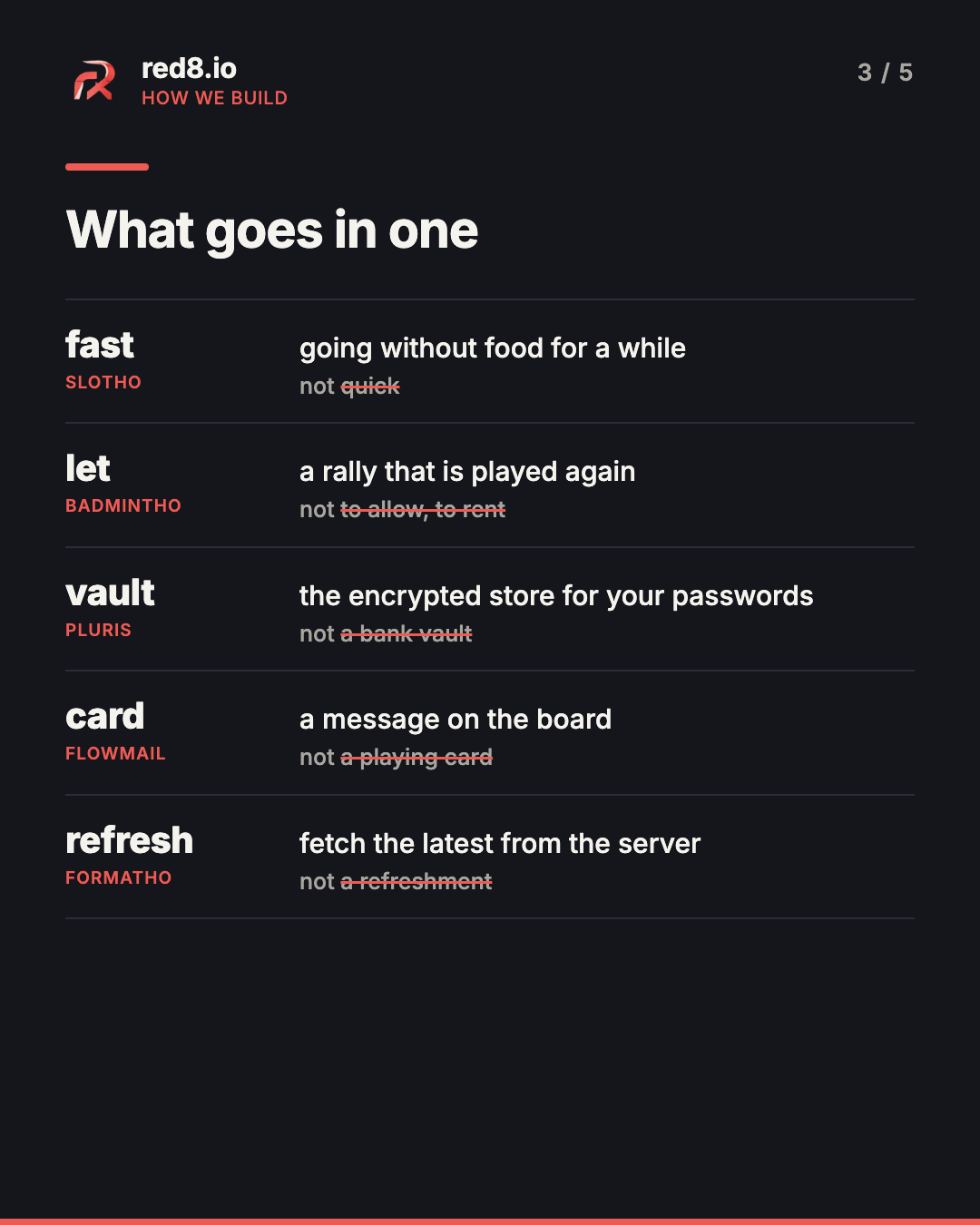
In slotho, “fast” means going without food. In badmintho, a “let” is a rally that gets played again. In pluris, the “vault” is where your passwords are kept, encrypted. Outside those apps, each of those words means something else, and a translator that does not know which app it is working in will reach for the everyday meaning. So every red8.io app keeps a short translation glossary of its own words, and none of an app’s text is translated without it.
A label arrives without its screen
Our apps are translated string by string, and a language model drafts each translation. The model is fluent in every language we ship. What it does not get is the screen: a button label such as “Share match” reaches it as two words, with no badminton court anywhere in sight.
We saw what that costs in August. Told only that badmintho was a health-tracking app, the model read the badminton court as a court of law in 18 languages (Unbekanntes Gericht, German for “unknown court of law”) and a match as a coincidence in 8 (Partager la correspondance, French for sharing a correspondence). No automatic check caught either. Every string was present, every placeholder intact, every sentence grammatical. They were about the wrong thing.
What goes in a translation glossary
Each glossary is a page of plain writing, not a database. It says what the app is, who uses it and in what tone, then lists the words that could belong to more than one world: the meaning we want, and the meanings we do not.
Word
App
What it means there
Not
fast
slotho
going without food for a while
quick
stage
slotho
a phase of a fast, such as ketosis
a theatre stage
let
badmintho
a rally that is played again
to allow, to rent
court
badmintho
where badminton is played
a court of law
vault
pluris
the encrypted store for your passwords
a bank vault
block
pluris
stop a number from calling you
a city block
card
FlowMail
a message on the board
a playing card, a payment card
refresh
formatho
fetch the latest from the server
a refreshment
One word from each app’s translation glossary.
Below the word list sit the decisions that only make sense one language at a time. In Lithuanian and Latvian, slotho’s fasting is never the religious fast. iOS is not available in Estonian or Latvian, so an Estonian or Latvian slotho user’s Health app is almost always labelled in English; slotho calls it “Health” there too, rather than inventing a name the user will never see on their phone.
Three rules around it
No glossary, no translation. The tool that translates our apps stops before it starts if the app has no glossary. That includes the translation step inside a release, which runs unattended, because an unattended run is exactly the one whose mistakes nobody reads before they ship.
It lives with the code. Each glossary sits in the app’s codebase beside the text it governs, changes in the same commit as the correction that taught us something, and is reviewed like code. All five apps got theirs in the same week of August 2026, and each has grown since.
One word per meaning, held by a test. A badminton match is made of games, and many languages have a sports word for one game that differs from their everyday word. German says Satz, not Spiel; Portuguese says set, not jogo. badmintho’s glossary names that word for twenty languages, and a test fails if any game string in those languages uses a different one.
What you get from it
slotho, badmintho and pluris are each available in 22 languages on the App Store, from Danish to Thai. Use one of them in German, Japanese or Polish, and the words on the screen were translated knowing whether they belong on a badminton court, in a fasting window or in a password vault. FlowMail and formatho ship in fewer languages today and keep a glossary as well, so each language they add starts from the same page.
If a word reads wrong in your language, tell us. Each app’s FAQ says how to reach us (slotho, badmintho, pluris), and we correct the glossary along with the screen.
In July 2021 I published a post called Never again forget anything. It was about one iOS Shortcut. I ran it, typed or pasted a thought, and it put the thought where I would find it again: the clipboard into Data Jar, a task into Jira, a line into a work note. One entry point for every idea, so that nothing depended on my memory.
I still work that way. What changed is what sits behind the entry point. The one Shortcut has turned into five things I built, and each of them took over one part of my day.
What each one took over
slotho holds what I eat and how I feel afterwards. I log food and digestion symptoms, and it tells me which foods turn up before a symptom more often than on the days I did not eat them, from my own log.
badmintho holds my time off. It keeps the score on my Apple Watch while I play badminton, runs my drills, and saves every match and session to Apple Health.
FlowMail holds my email. It shows the inbox as a Kanban board, so a message has a status I can see, on Mac, iPhone and iPad.
pluris holds the things I cannot afford to lose. Passwords, passkeys and API keys go in its vault, and it keeps my contacts tidy.
None of these was planned as part of a system. Each one started the way the Shortcut did: there was something I kept having to remember, and I wanted a place to put it the moment it happened.
Where Cortex comes in
Four apps that each remember one thing still leave a question: where does the work around them live? The release plan, the task that came out of a meeting, the document someone sent, the post announcing a new version.
That is what Cortex is becoming for me. It is a hosted workspace, in the EU, where the tools share one memory. Today it holds:
My products. Every app is a product in Cortex, and it checks the App Store for the version that is actually live.
My projects and tasks. Each app is a project, and the issues from its code repository arrive as cards on the board.
My documents and meetings. Notes link to the task or the meeting they came from, and show its current state when I read them again.
What I publish. The LinkedIn post for a release is drafted and scheduled in the same place as the release itself.
What is real today, and what is next
Today Cortex runs the business side. What I put into the apps stays in the apps: a meal is in slotho, a match is in badmintho, a password is in pluris. Cortex knows about the products, and it holds the work of building them.
Bringing the two closer is where I am taking it, and I will write about that when there is something to show. For now it already does the thing the Shortcut was for: I put something in once, and I find it again where I expect it.
Your turn
Everyone has one part of their day that still lives only in their head. Mine was ideas, in 2021. Tell me which part is yours.
More
Cortex — the connected workspace, and the tools in it
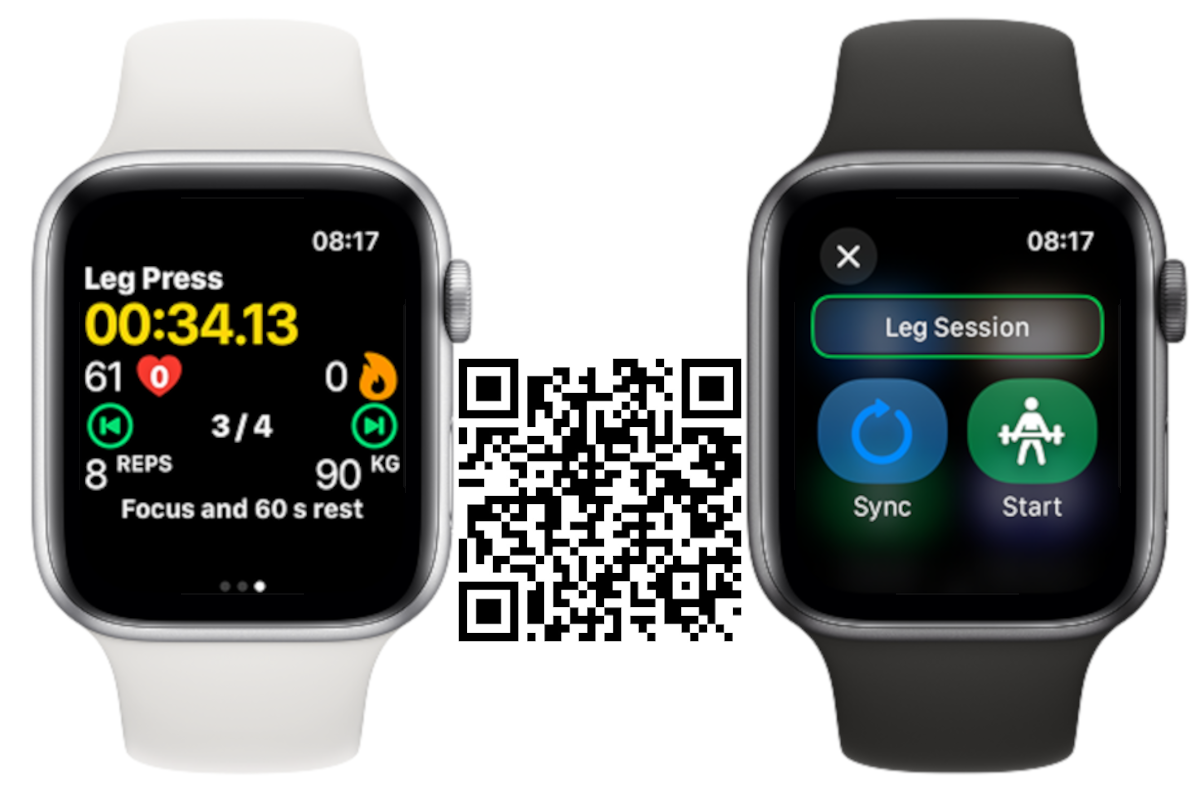
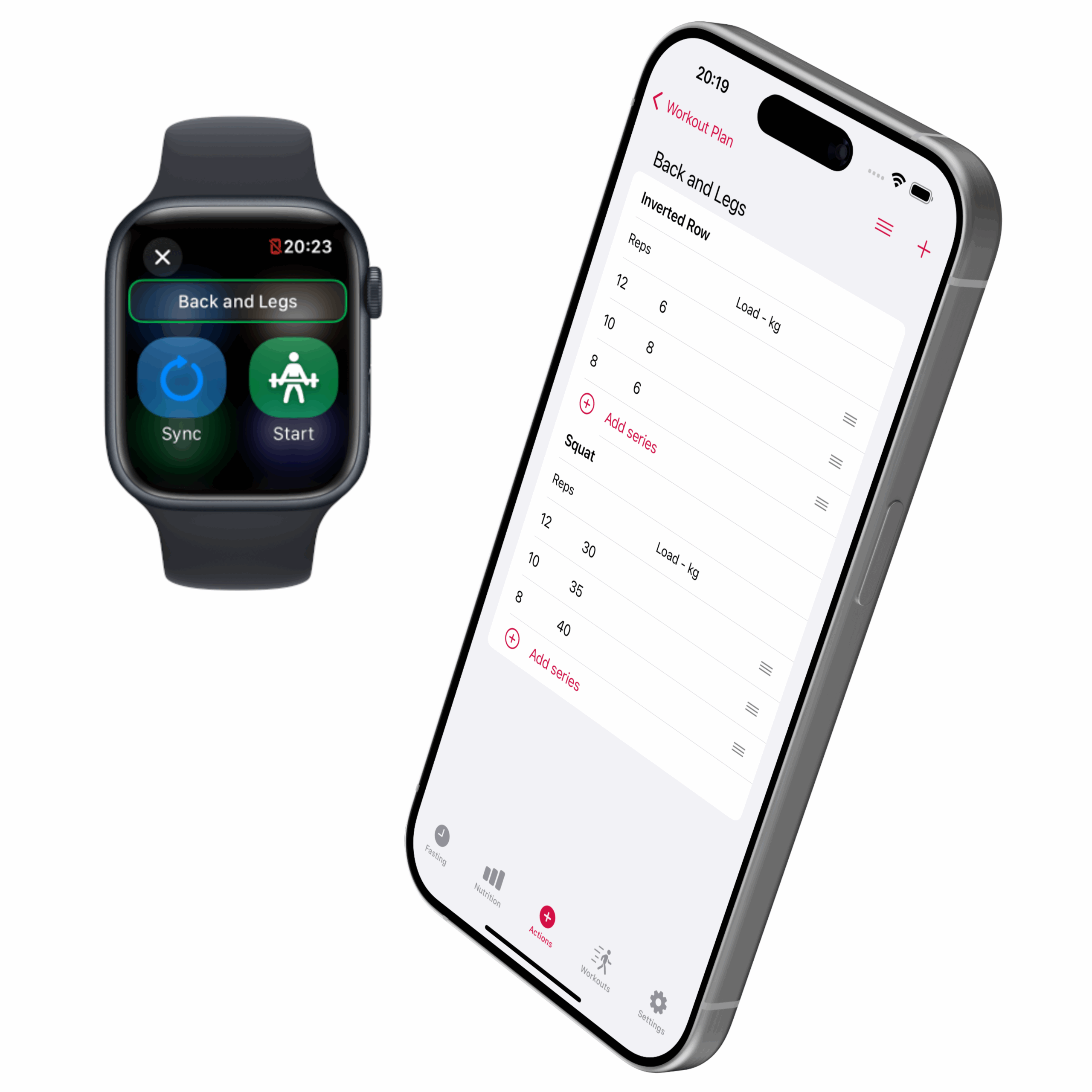
🏋We have been training and we are now introducing workout plans. From phone to watch, an easy way to track your strength training. It’s just the beginning for workout tracking in slotho and there’s a lot more coming.
iPhone:
NEW: Workout plan, build your weight training plan on the phone and then track it on the Apple Watch.
Apple Watch:
CHANGE: Buttons’ design to smaller sizes and different colours.
NEW: Track your weight training session with the exercise list with repetitions and loads.